
Symptom
You can perform factory data reset as follow.
Before you begin
*Warning!
When you perform factory data reset, all data will be removed.
Please kindly backup the all needed data before the reset.
Solution
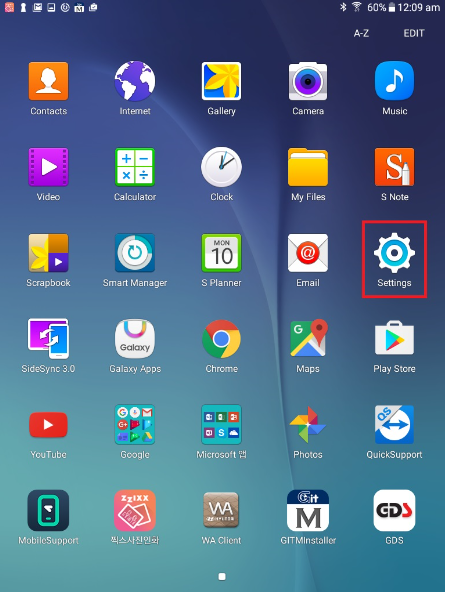
1. Tap to [Setting].
2. Go to [Backup and reset] - [Factory data reset]. (Android 4.4.2)
Go to [General management] -[Reset] - [Factory data reset]. (Android 7.0)
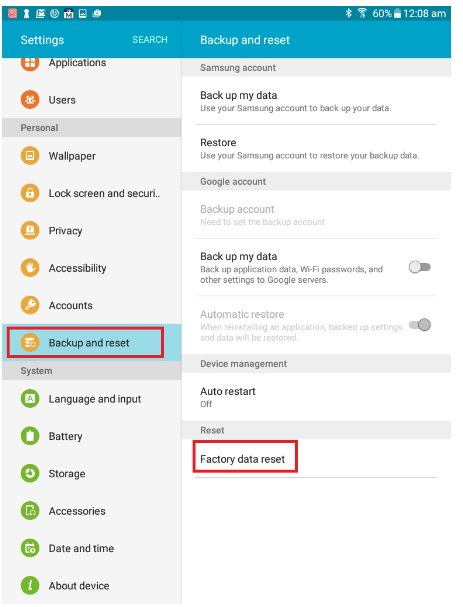
<Android 4.4.2>

<Android 7.0>
3.Complete.
+ SAMSUNG FAQ LINK - You can check it on SAMSUNG web site as well.
* Make sure!
Depending on each region and maker, the images as below may be different from yours.
Comments
0 comments
Article is closed for comments.