
■ OS 6.X.X or lower: Proceed from step 1.
■ OS 7.X.X or later: Proceed from step 9.
1. Go to “Apps”.
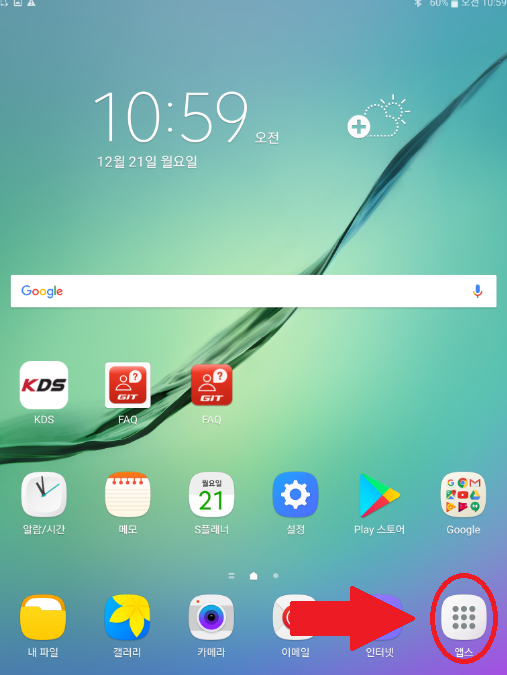
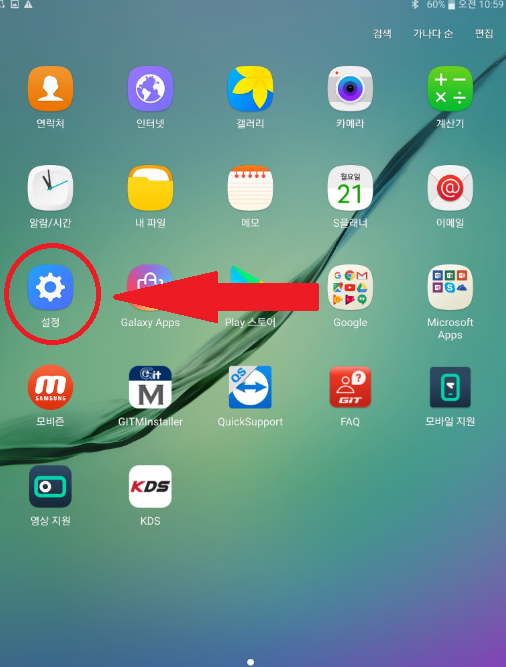
2. Go to "Settings".
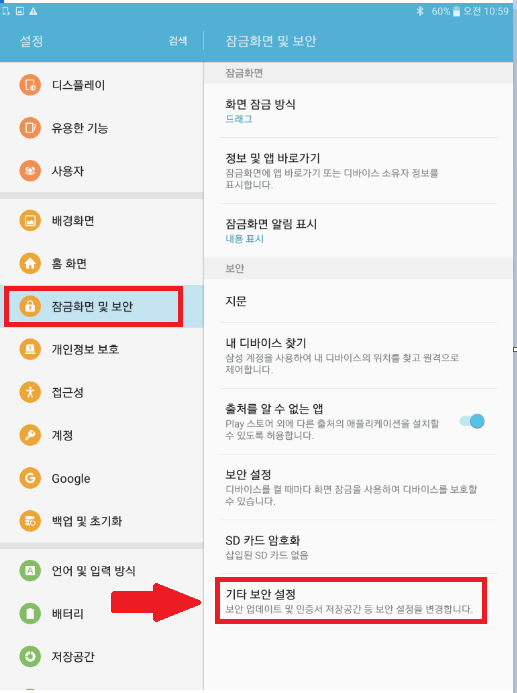
3. Go to [Lock screen and security] and select [Other security settings].
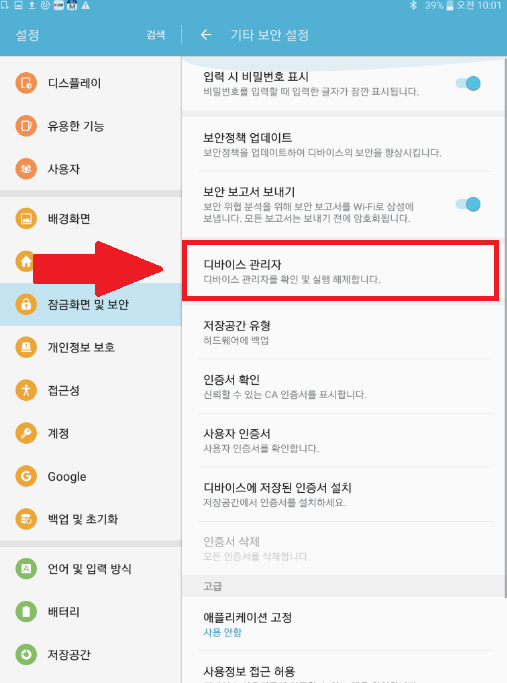
4. Go to [Device Manager].
5. Touch the right button of GITMInstaller.
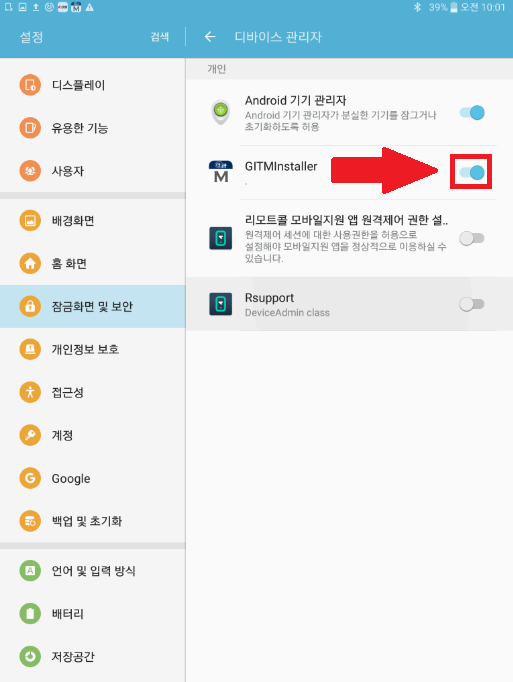
6. Click the [Cancel] button.
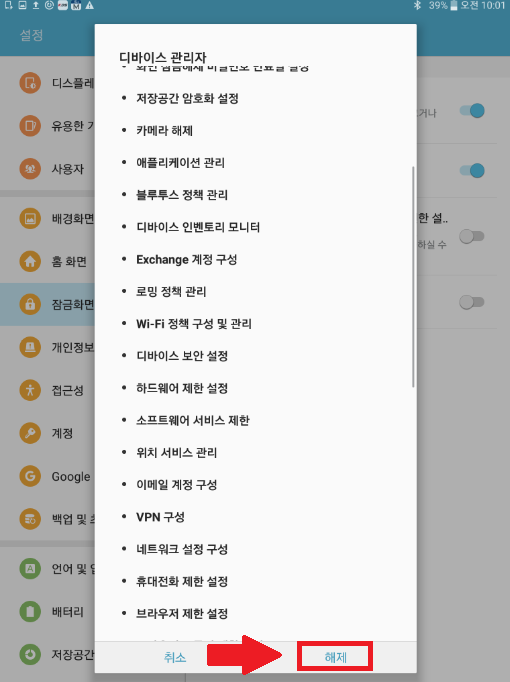
7. Click [OK].
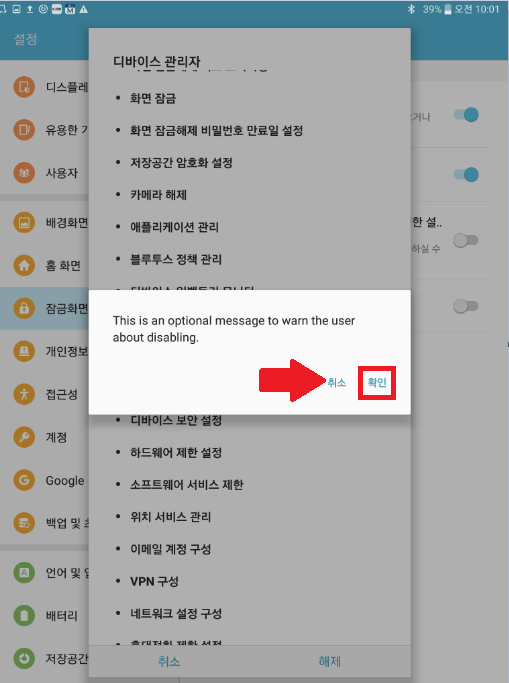
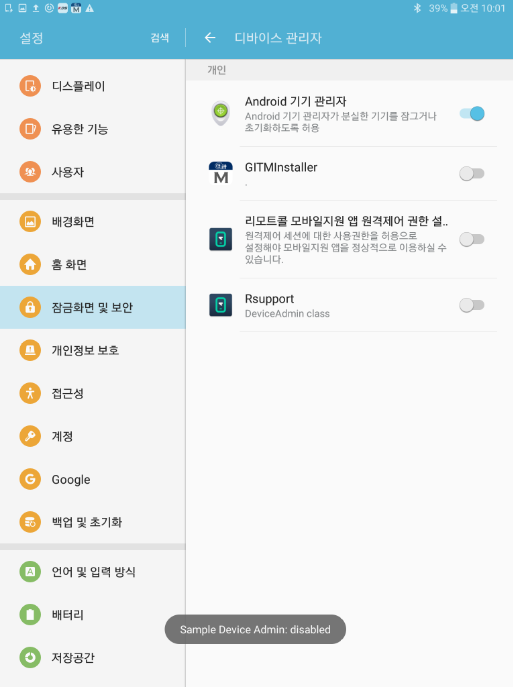
8. App management has been turned off.
9. Go to [Application Management]-[Application Manager].
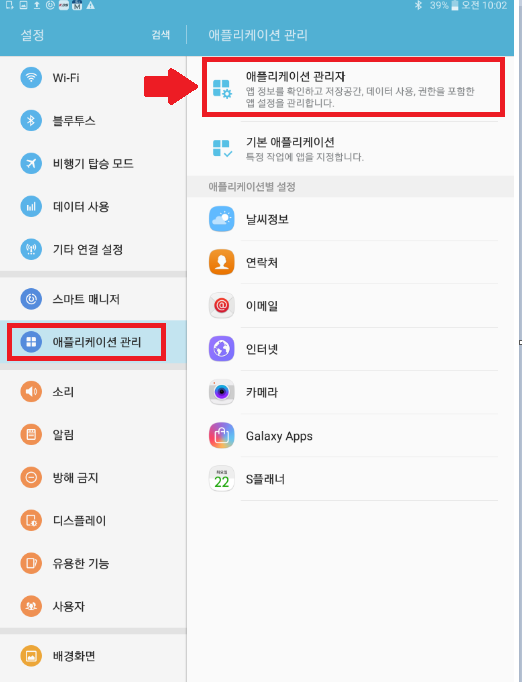
10. Select GITMInstaller.
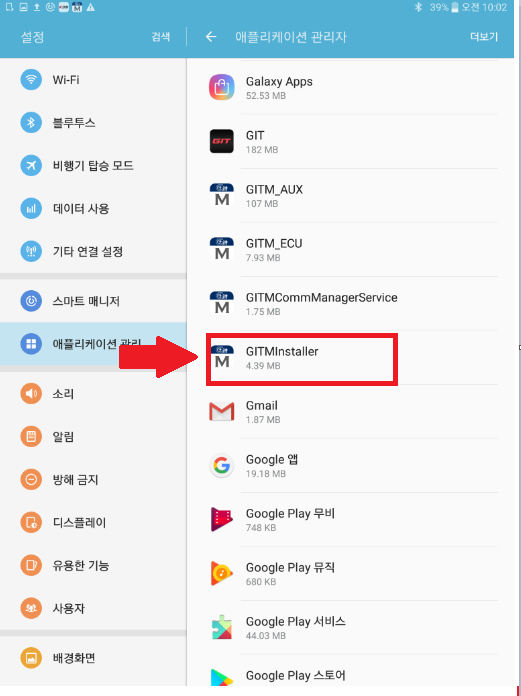
11. Click [Delete].
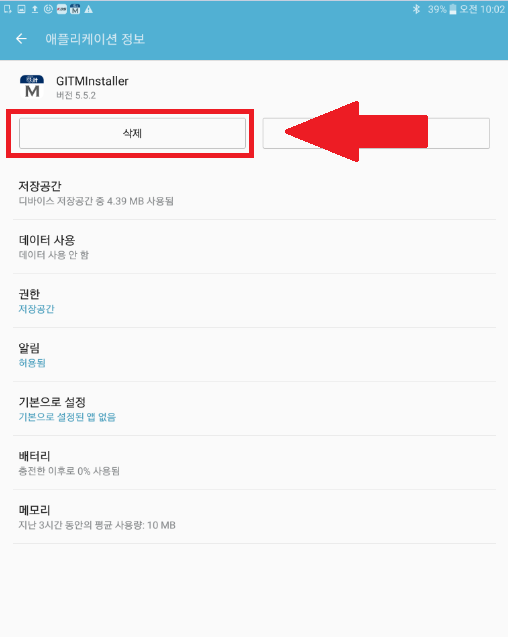
12. Click [OK].
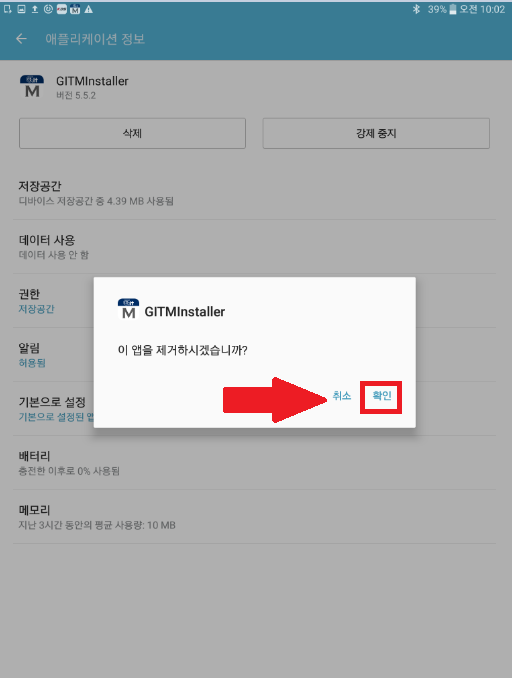
13. GITMInstaller has been deleted.
If you want to install the program, please go to the link below.
Comments
0 comments
Article is closed for comments.